Inventory
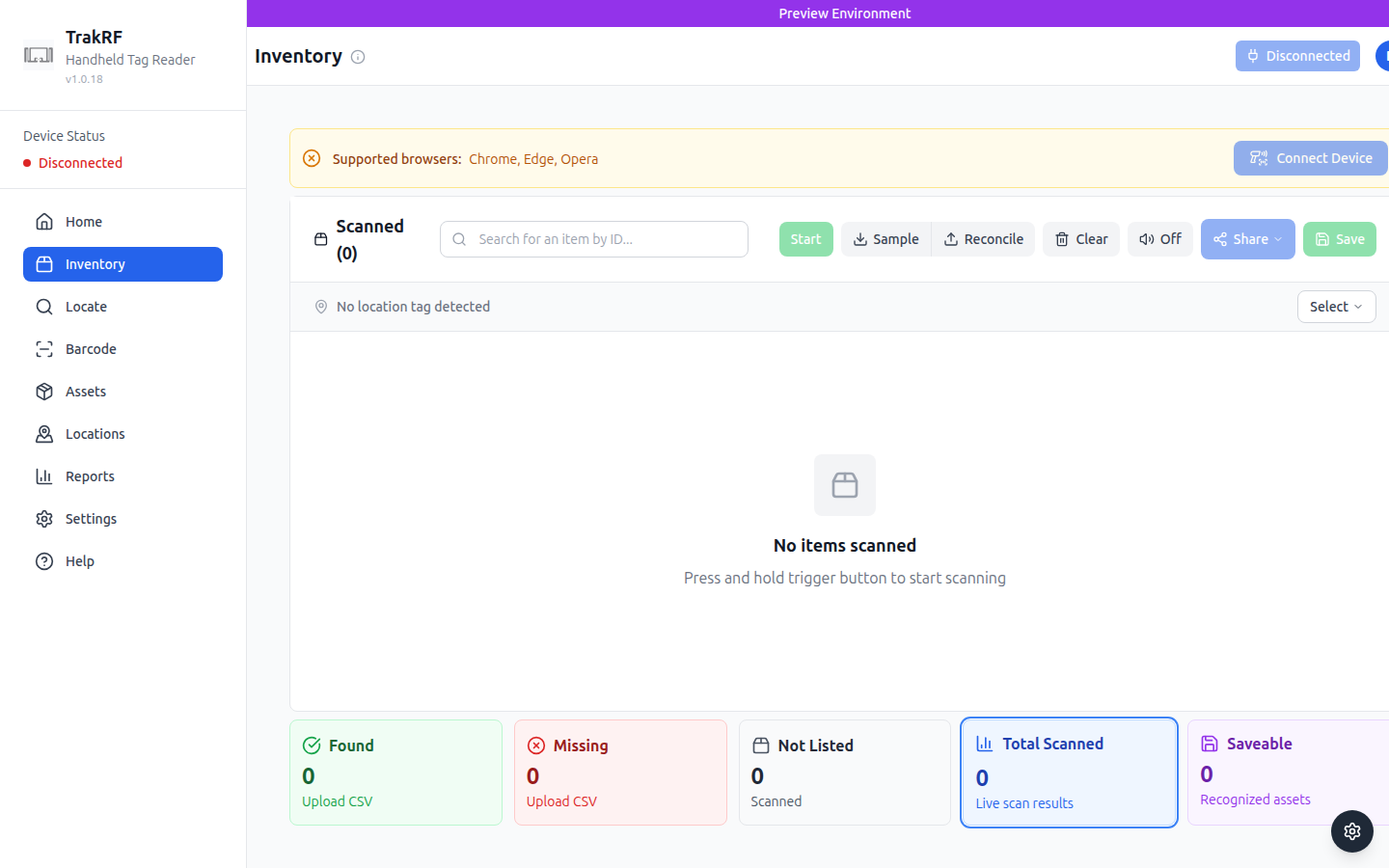
Desktop
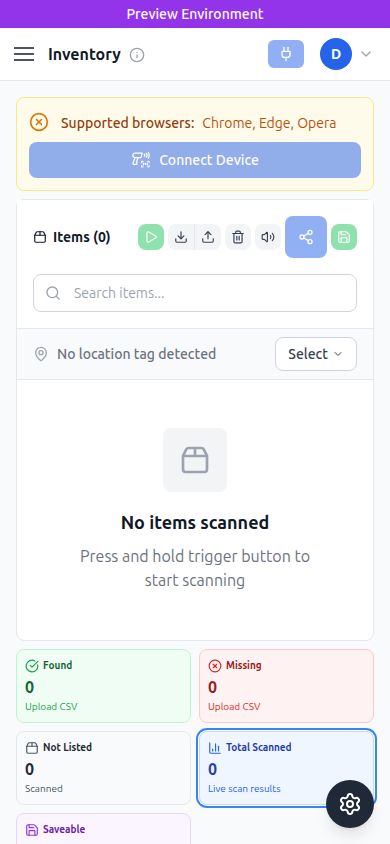
Mobile
What this page does
Inventory is the workhorse scanning screen. You press and hold the handheld reader's trigger and every RFID tag in range is added to the Scanned list in real time. The top toolbar holds the core scanning controls (Start, Sample, Reconcile, Clear, audio toggle, Share, Save), and the footer cards summarize the live scan — Found, Missing, Not Listed, Total Scanned, and Saveable (recognized assets). Without a paired reader the screen shows a "No items scanned" empty state, a yellow "Supported browsers: Chrome, Edge, Opera" banner, and a Connect Device button.
How it fits in the app
Inventory answers "what's in front of me right now?" by comparing the live RFID sweep against a CSV or saved asset list; the counts in the footer make mismatches obvious at a glance. From Inventory you typically move to Locate to narrow in on a specific item, or to Assets to turn newly-scanned tags into managed records.
This page was generated as a first-pass tour. Human enhancement welcome.